Once a repository is synced, queue a scan to analyze it for security vulnerabilities and review the results across the scan detail tabs.
Running Scans
To analyze a repository for security vulnerabilities:
- Click the Scans tab at the top of the CyfroCode workspace, then click Queue Scan. Alternatively, open a repository detail page and click Queue Scan from there.
- Confirm the target repository and branch.
- The scan enters the Queued state and transitions through Running, then Completed (or Failed / Degraded if issues occur).
- Monitor progress from the Scans tab. Active and historical scans are listed with status, repository, branch, timing, and duration.
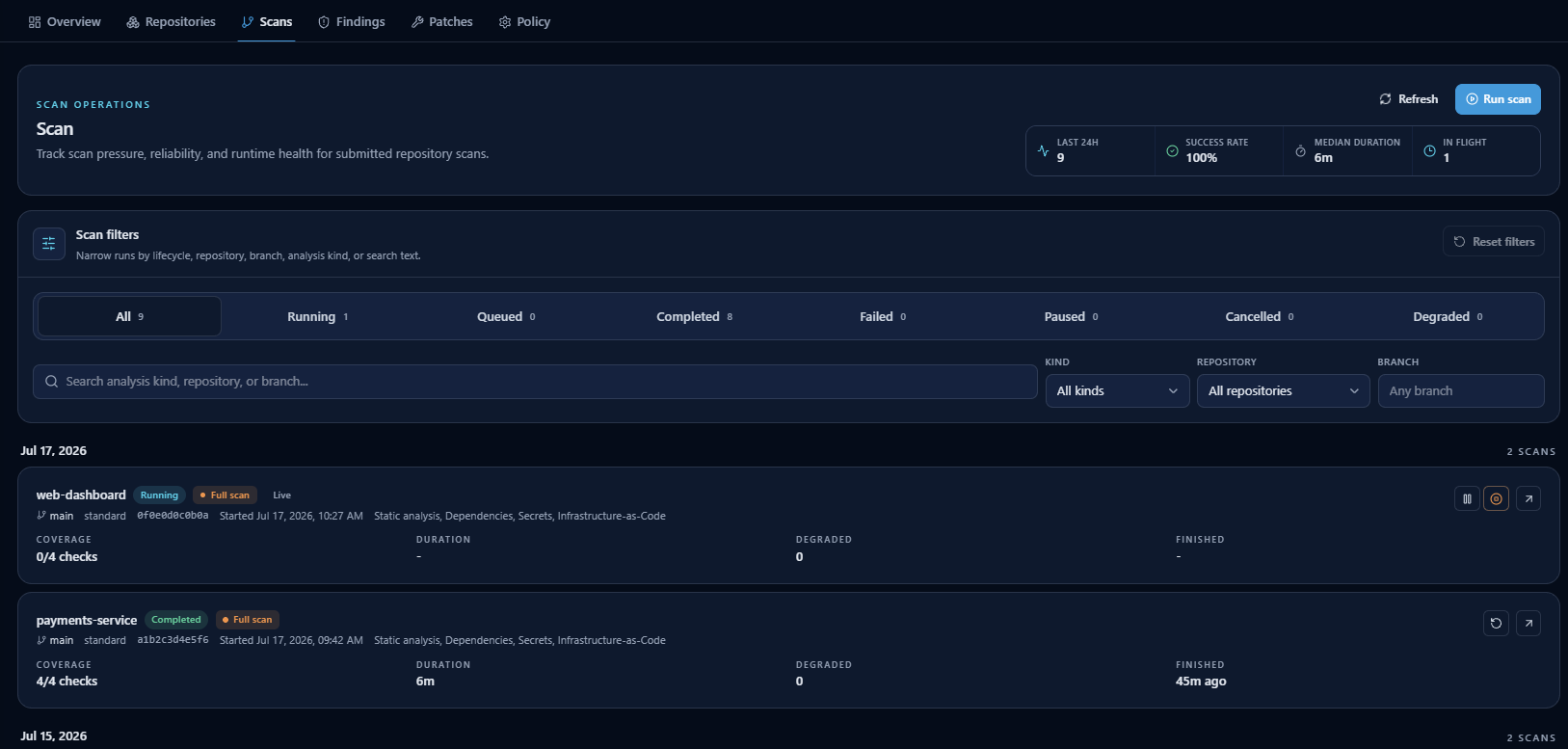 The Scans tab: scan-operations metrics, lifecycle filters, and per-run status, coverage, and timing.
Once a scan completes, click it to open the scan detail page. The scan detail page contains seven tabs for reviewing results: Logic Map, Mind Map, Findings, Code Health, SBOM, Patches, and Intent.
Scan Detail Tabs
After clicking a completed scan, you see the scan detail page. The top shows context (repository, branch, commit, timing) and below it are seven tabs:
| Tab | What It Shows |
|---|---|
| Logic Map | Interactive graph of relationships across files, functions, classes, endpoints, and application layers. |
| Mind Map | Tree of endpoint cards with AI-authored explanations layered on deterministic endpoint signatures. |
| Findings | Security findings as grouped issues or raw matches, with AI explanations and severity filters. |
| Code Health | Dead-code signals, duplicate code clusters, and other code-health indicators beyond SAST. |
| SBOM | Software Bill of Materials — a full dependency inventory of all discovered components. |
| Patches | Remediation drafts generated for findings from this scan. |
| Intent | Architecture intent versus implementation comparison with missing/extra component detection. |
Each tab is covered in detail in Findings & AI Patches, Logic Map & Mind Map, and Code Health, SBOM & Intent.
Scan Policy
The Policy tab controls how scans behave for the current account group. It defines which analysis kinds a scan must complete to be considered passing, shows the availability of each analysis runtime, and toggles code-intelligence behavior.
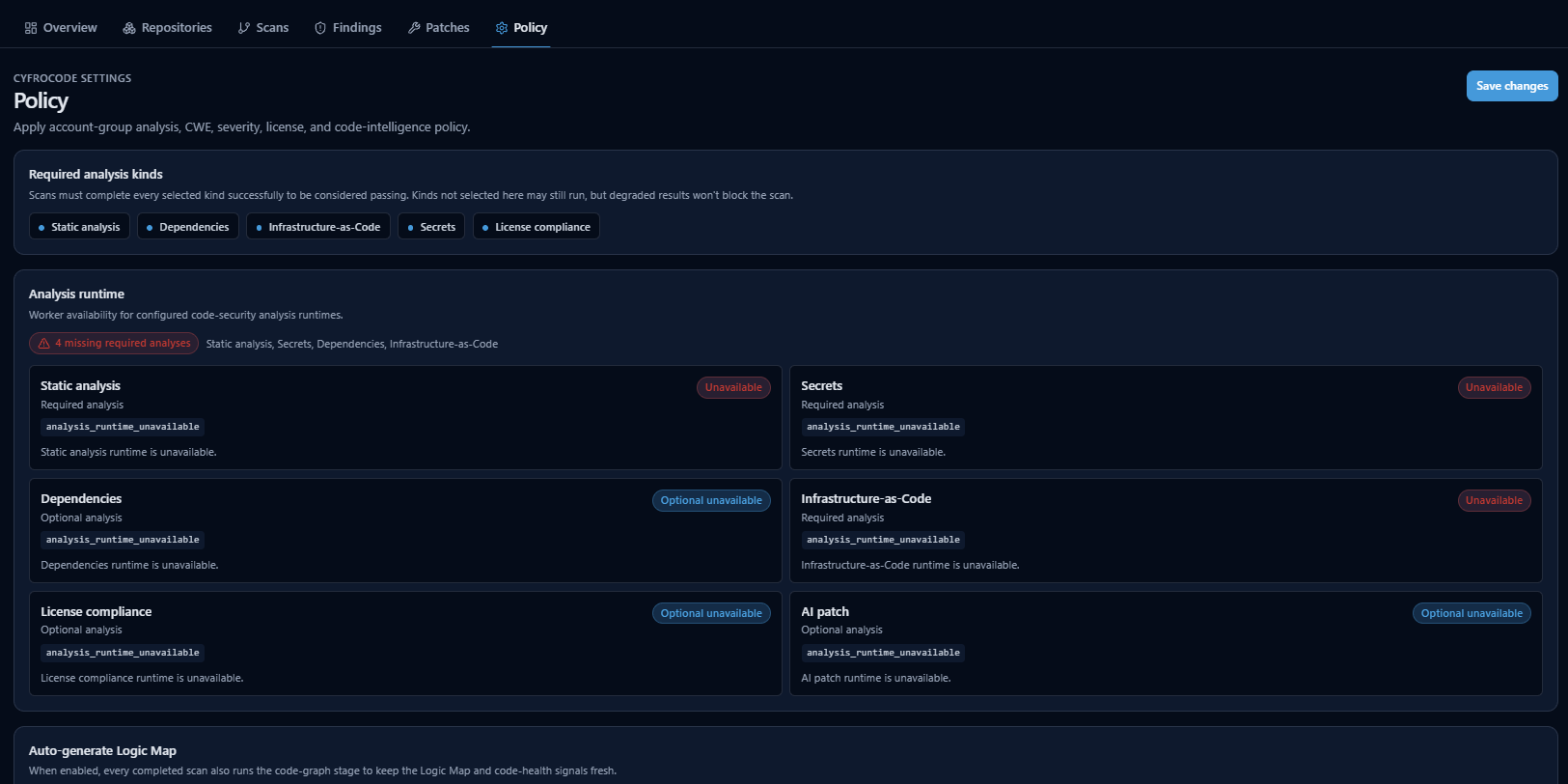 The Policy tab: required analysis kinds, per-runtime availability, and the auto-generate Logic Map setting.
| Setting | Description |
|---|---|
| Required analysis kinds | Scans must complete every selected kind (for example Static analysis, Dependencies, Infrastructure-as-Code, Secrets, License compliance) successfully to pass. Unselected kinds may still run, but degraded results won't block the scan. |
| Analysis runtime | Worker availability for each configured analysis runtime, so you can see which scanners are ready before queuing a scan. |
| Auto-generate Logic Map | When enabled, every completed scan also runs the code-graph stage to keep the Logic Map and code-health signals fresh. |