Review the vulnerabilities CyfroCode discovered, understand them with AI explanations, and turn them into ready-to-review pull requests.
Reviewing Findings & AI Explanations
To review findings from the workspace level or from within a scan:
- Click the Findings tab at the top of the CyfroCode workspace for all findings, or click the Findings tab inside a scan detail page for scan-specific findings.
- Use severity filter pills (Critical, High, Medium, Low, Info) to narrow results.
- Use the status filter to show open, suppressed, or resolved findings.
- Search by keyword, file path, or CWE identifier using the search box.
- Toggle between Grouped Issues (deduplicated by vulnerability type) and Raw Matches (every specific line affected) using the toggle above the table.
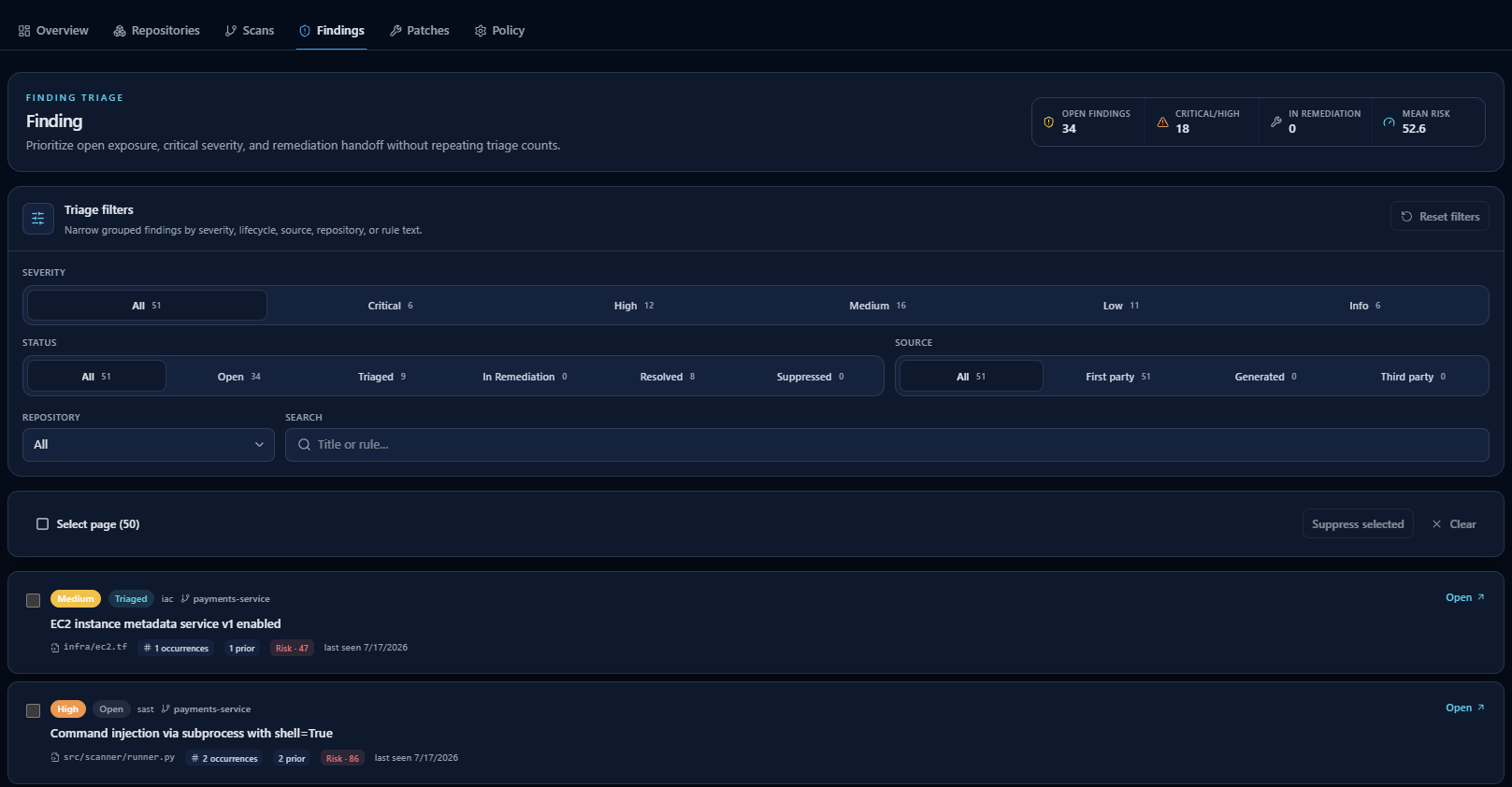 The Findings triage view: severity, status, and source filters over grouped findings with AI risk scores and occurrence counts.
Click a finding row to open the finding detail page. Each detail page shows:
| Section | Details |
|---|---|
| Source Information | The affected file path and specific line range where the vulnerability was detected. |
| AI Explanation | A plain-language summary from CyfroAssistant explaining why the code is vulnerable and what the risk means. |
| Remediation Guidance | Expand this section for step-by-step manual fix instructions. |
| Linked Patches | If a remediation draft exists, a link appears at the bottom to go directly to the patch detail page. |
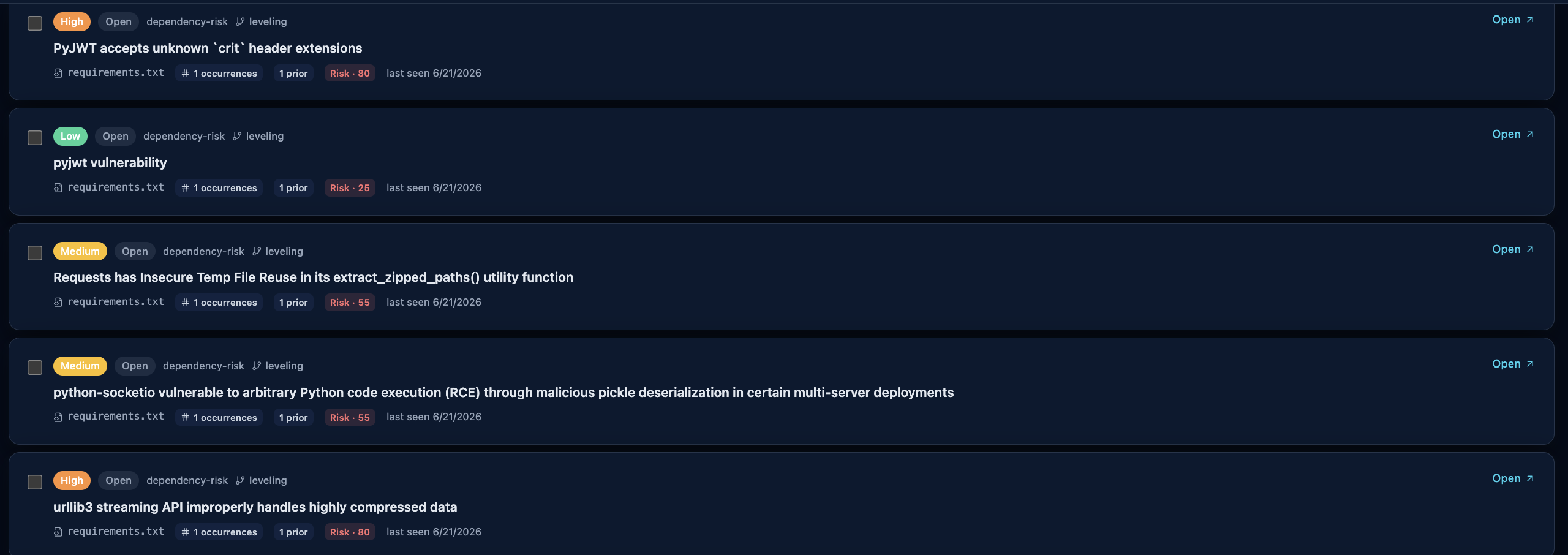 Grouped dependency-risk findings with severity badges and AI-assessed risk scores.
Automated Patch Proposals
For supported vulnerabilities, CyfroCode generates AI-driven remediation drafts. To use them:
- Open a finding from the Findings tab (workspace-level or scan-level).
- Click Generate Patch on the finding detail page.
- CyfroSec's AI models analyze the vulnerability context and generate a code change. This may take a few moments.
- Once ready, click the patch link on the finding to open the patch detail page.
- Review the proposed diff in the side-by-side diff viewer. Confirm the change fixes the vulnerability without modifying unrelated behavior.
- If correct, click Approve, then Export to GitHub to create a new branch with the fix, ready for a Pull Request.
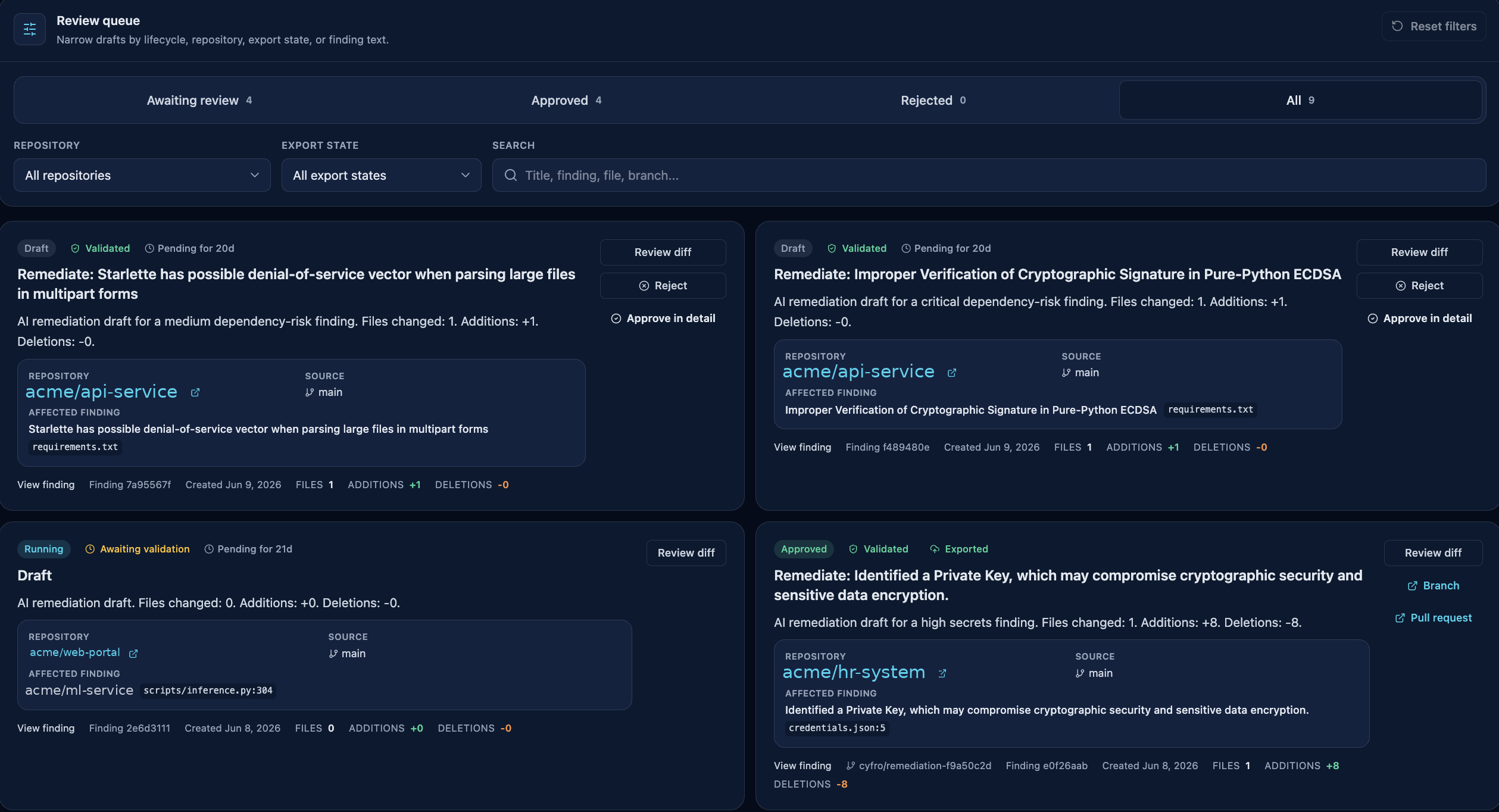 The remediation review queue: AI patch drafts awaiting review, approval, or export to GitHub.
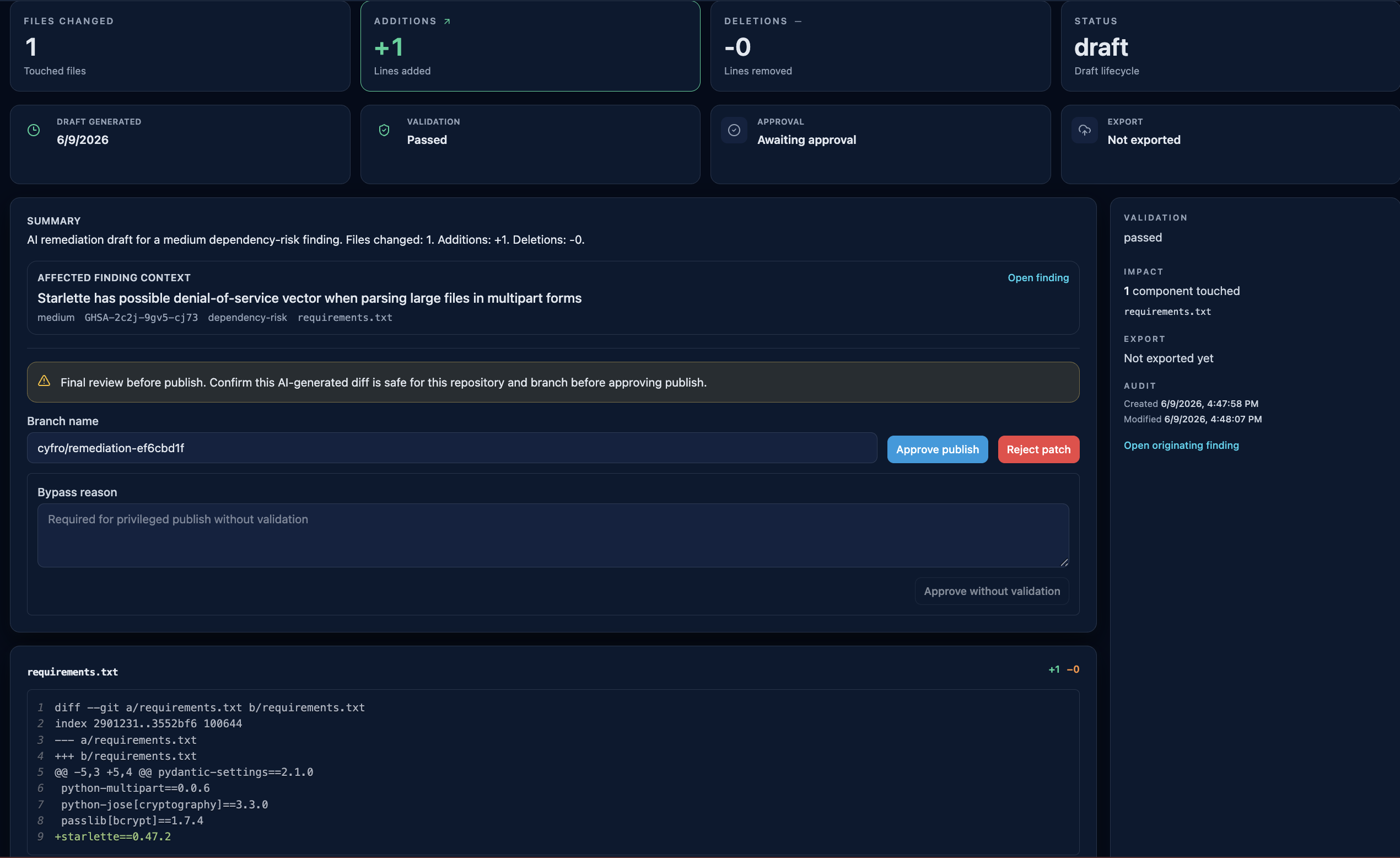 A patch detail view: validation result, branch name, approval controls, and the proposed diff before export.
7. If incorrect or unnecessary, click Reject and provide a clear reason for the review history.
8. To hide a false positive from future scans instead, use the Suppress option on the finding detail page.
A patch detail view: validation result, branch name, approval controls, and the proposed diff before export.
7. If incorrect or unnecessary, click Reject and provide a clear reason for the review history.
8. To hide a false positive from future scans instead, use the Suppress option on the finding detail page.