CyfroAssistant is your AI-powered security analyst, available directly inside the CyfroSec Portal. It understands your specific infrastructure — your agents, scan results, vulnerabilities, topology — and lets you query it all in natural language, without writing queries or complex terminologies. It can also take specific actions once permission is provided by the user.
Beta: CyfroAssistant is currently in beta. The core functionality is stable, but the feature set is actively expanding.
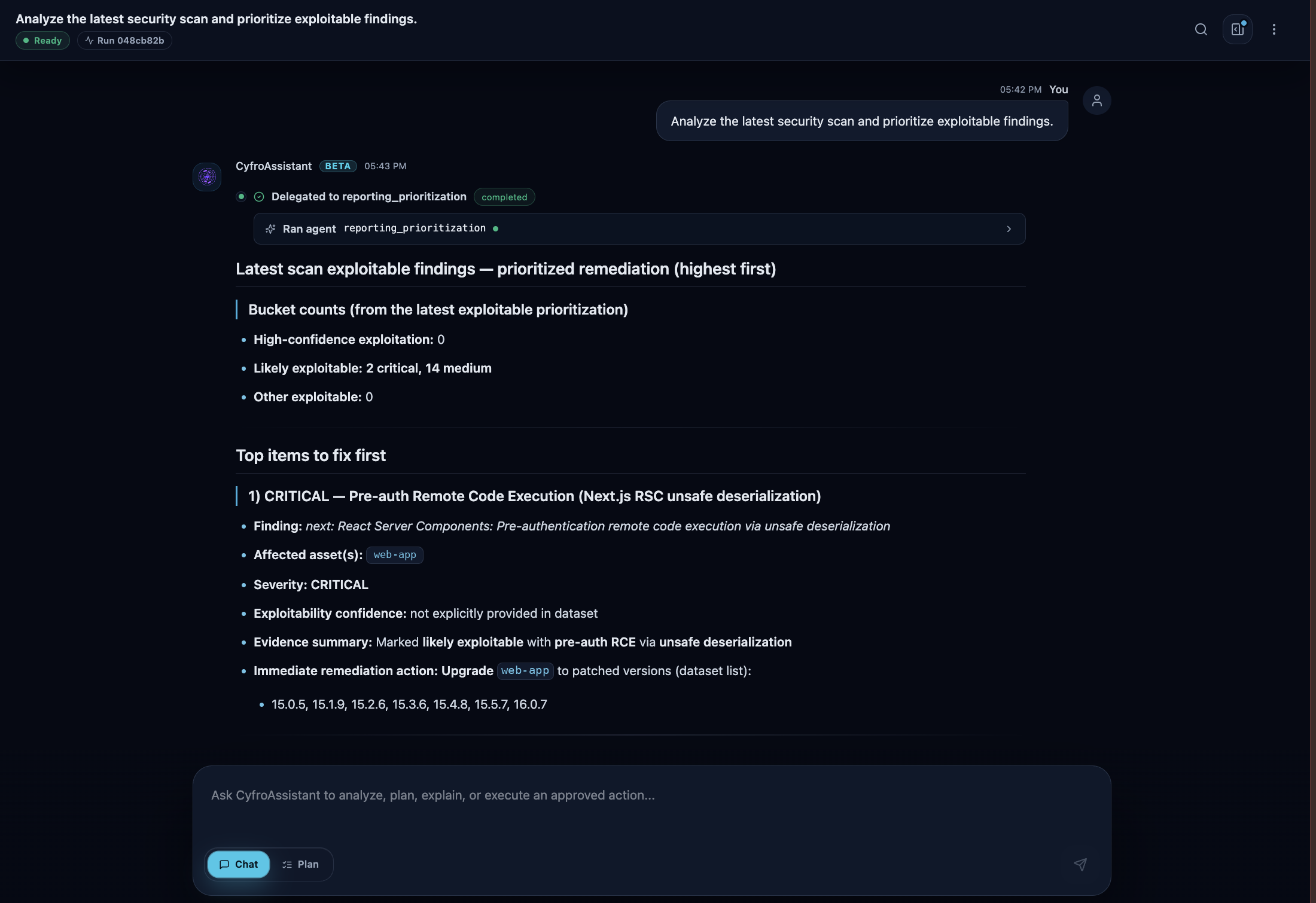 CyfroAssistant analyzing the latest scan and returning a prioritized, exploit-focused remediation list.
Starting a Conversation
When you open CyfroAssistant for the first time (or start a new conversation), you land on an empty canvas with four clickable suggestion cards/function calls:
| Suggestion | What it does |
|---|---|
| Analyze latest security scan | Retrieves and summarises your most recent scan results |
| Show security insights | Summarises AI-generated insights from recent scans |
| List active agents | Shows all currently online CyfroAgents in your account group |
| Get scan summary | Provides a high-level overview of scan coverage and findings |
Click any card to send that query immediately, or type your own question in the input box at the bottom.
To send a message: Type in the text box and press Enter (or click the Send button). Press Shift + Enter to add a line break without sending.
A new conversation session is created automatically the first time you send a message, using the first 50 characters of your message as its title.
The Chat Interface
1. Message Streaming
Responses stream token-by-token in real time. While the assistant is working, the header shows one of three status badges:
- Thinking: The assistant is reasoning through your query
- Working: The assistant is executing tools or fetching data
- Generating: The assistant is writing its response
A Stop button appears in the input area while streaming. Clicking it cancels the current response immediately.
2. Human-in-the-Loop Approvals
For certain actions, particularly those that write data or carry higher risk, the assistant will pause and present an approval card before proceeding. The card shows:
- What action is being requested
- The risk level (Low / Medium / High / Critical)
- AI-generated explanation of what will happen
- Approve and Deny buttons
You must actively approve or deny before the assistant continues. Approvals are single-use and expire after a set period.
3. Workspace Panel
A collapsible right panel (click the panel toggle in the chat header) provides three tabs for deeper inspection:
| Tab | Contents |
|---|---|
| Tasks | Checkbox-style progress list of the steps the assistant is executing in real time |
| Artifacts | Any files, data exports, or generated content produced during the conversation |
| Tool Output | Raw arguments and results from each tool call — useful for auditing what data the assistant read or wrote |
What You Can Ask
CyfroAssistant is aware of your infrastructure context and can answer questions such as:
Scan and vulnerability queries:
- "Which hosts have Critical CVEs?"
Agent and asset queries:
- "List all active agents."
- "Which agents haven't run a scan in the last 24 hours?"
Insights and risk queries:
- "What are my highest risk findings this week?"
- "Are any of my exposed services flagged as reachable?"
- "Give me an executive summary of my current security posture."
Platform how-to questions:
- "How do I create a new scan?"
- "What does an Account Group Admin have access to?"
- "How do I register a new agent?"
Multi-language Support
CyfroAssistant can understand prompts and return guidance in the language your team prefers while keeping the same infrastructure context, scan awareness, and approval flow. This makes it easier for mixed technical and non-technical teams to collaborate without translating findings manually.
Plan Mode
Plan Mode lists a series of tasks to be executed in order to fulfill the user's request, ranging from changing configurations to applying fixes. The assistant presents the ordered plan first, then proceeds task by task based on the user's approval.
The assistant uses your actual scan data, agent status, vulnerability findings, and AI insight records to answer infrastructure-specific questions, and references product documentation for how-to queries. It is designed to help teams fully understand their infrastructure and where possible risks might hide.